


Product Descriptions

Dependable from every angle
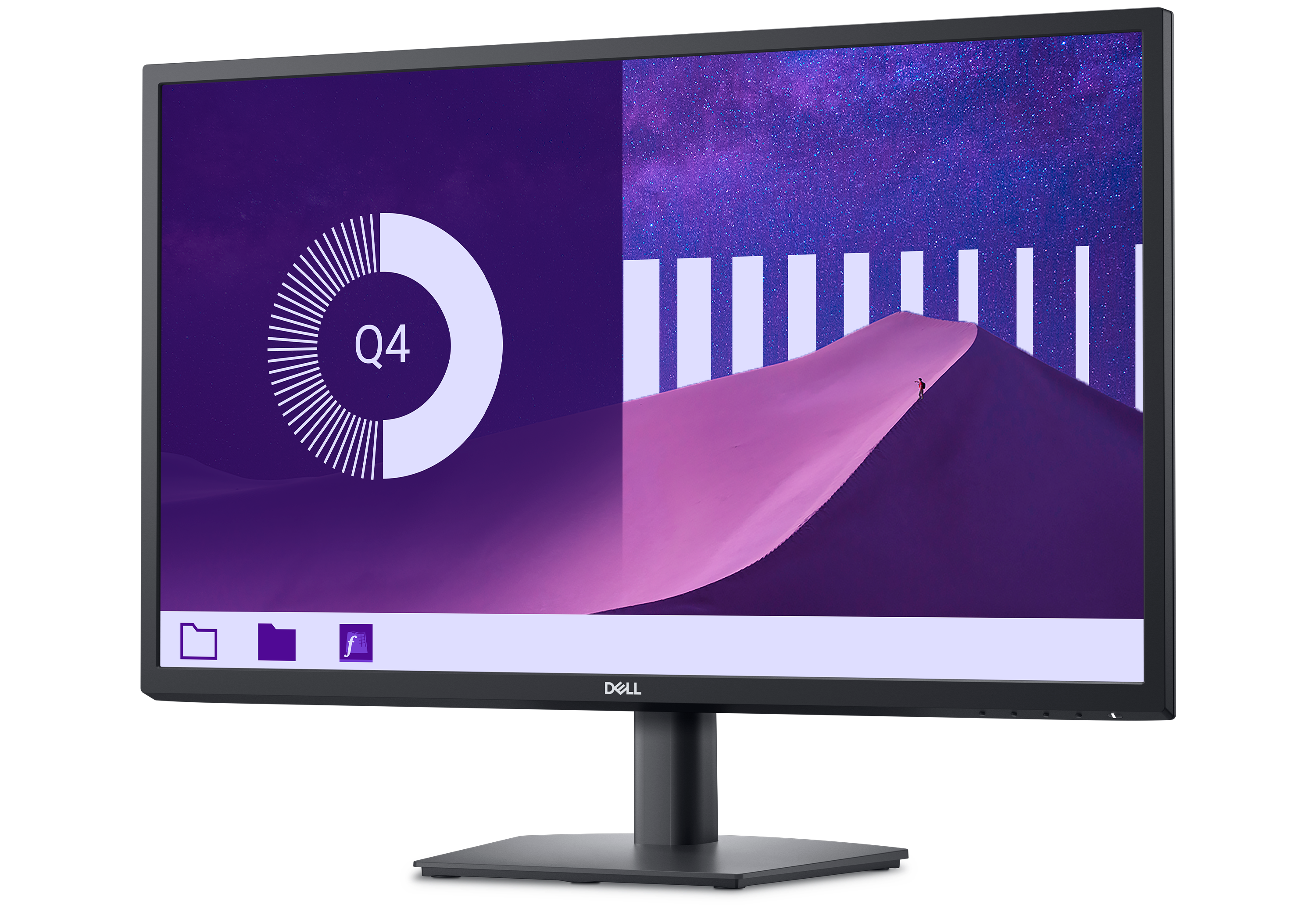
Wide viewing angle
Get consistent views across a wide 178°/178° viewing angle.
Slim bezel
Maximize your screen space with a clean, simple design.
3000:1 contrast ratio
Experience deeper blacks, brighter whites and vivid color.
Functional, space-saving design

Dell Display and Peripheral Manager
Experience Dell’s singular, innovative application to optimize the performance of your entire Dell PC workspace.
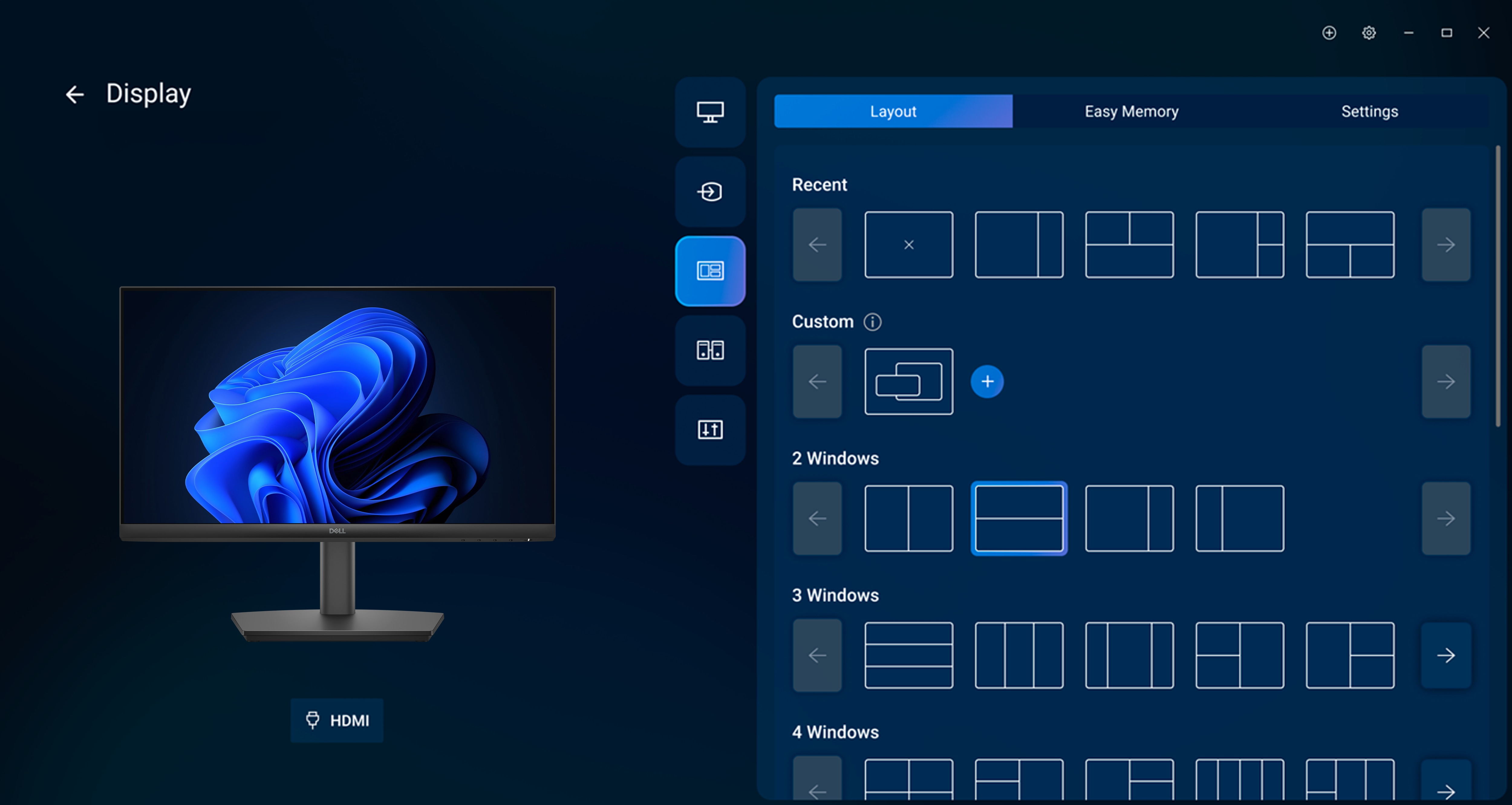
Maximize productivity
Easy Arrange tiles apps across screens with pre-set partitions and customizes up to five windows, enhancing multitasking. Easy Arrange Memory saves and restores app profiles manually, on schedule, or at start-up.
Customize your views
Work comfortably, day or night. Automate your brightness and contrast settings to match your schedule.
More manageable
Save time and boost IT efficiency with the Dell Device Management Console to manage your Dell peripheral fleet at scale, from a single cloud-based console. Discover expanded Command Line Interface features from Dell Display and Peripheral Manager.
Easy Arrange tiles apps across screens with pre-set partitions and customizes up to five windows, enhancing multitasking. Easy Arrange Memory saves and restores app profiles manually, on schedule, or at start-up.
Customize your views
Work comfortably, day or night. Automate your brightness and contrast settings to match your schedule.
More manageable
Save time and boost IT efficiency with the Dell Device Management Console to manage your Dell peripheral fleet at scale, from a single cloud-based console. Discover expanded Command Line Interface features from Dell Display and Peripheral Manager.
Intellectual Property
- Lorem ipsum dolor sit amet, consectetur adipiscing elit. Etiam quis diam erat. Duis velit lectus, posuere a blandit sit amet, tempor at lorem. Donec ultricies, lorem sed ultrices interdum.
- Leo metus luctus sem, vel vulputate diam ipsum sed lorem. Donec tempor arcu nisl, et molestie massa scelerisque ut. Nunc at rutrum leo. Mauris metus mauris, tristique quis sapien eu, rutrum vulputate enim.
- Mauris tempus erat laoreet turpis lobortis, eu tincidunt erat fermentum.
- Aliquam non tincidunt urna. Integer tincidunt nec nisl vitae ullamcorper. Proin sed ultrices erat. Praesent varius ultrices massa at faucibus.
- Aenean dignissim, orci sed faucibus pharetra, dui mi dignissim tortor, sit amet condimentum mi ligula sit amet augue.
- Pellentesque vitae eros eget enim mollis placerat.
Termination
- There are many variations of passages of Lorem Ipsum available
- If you are going to use a passage
- All the Lorem Ipsum generators on the Internet tend to repeat predefined chunks as necessary
- It uses a dictionary of over 200 Latin words, combined with a handful of model sentence structures
- The point of using Lorem Ipsum is that it has a more-or-less normal distribution of letters
- Many desktop publishing packages and web page editors now use Lorem Ipsum as their default model text
Changes To This Agreement
We reserve the right, at our sole discretion, to modify or replace these Terms and Conditions by posting the updated terms on the Site. Your continued use of the Site after any such changes constitutes your acceptance of the new Terms and Conditions.
Contact us
If you have any questions about this Agreement, please contact us filling this contact form.
Related products


![SAMSUNG Q-LED 4K FRAME TV 65 inch [QA65LS01BAUXGH]](http://bestpricegh.com/cdn/shop/files/SS3.jpg?v=1694019729&width=100 "SAMSUNG Q-LED 4K FRAME TV 65 inch [QA65LS01BAUXGH]")


